[How to Check Voter Registration Status] Clear next steps
Note: Based on publicly available guides; verify details on official sites.
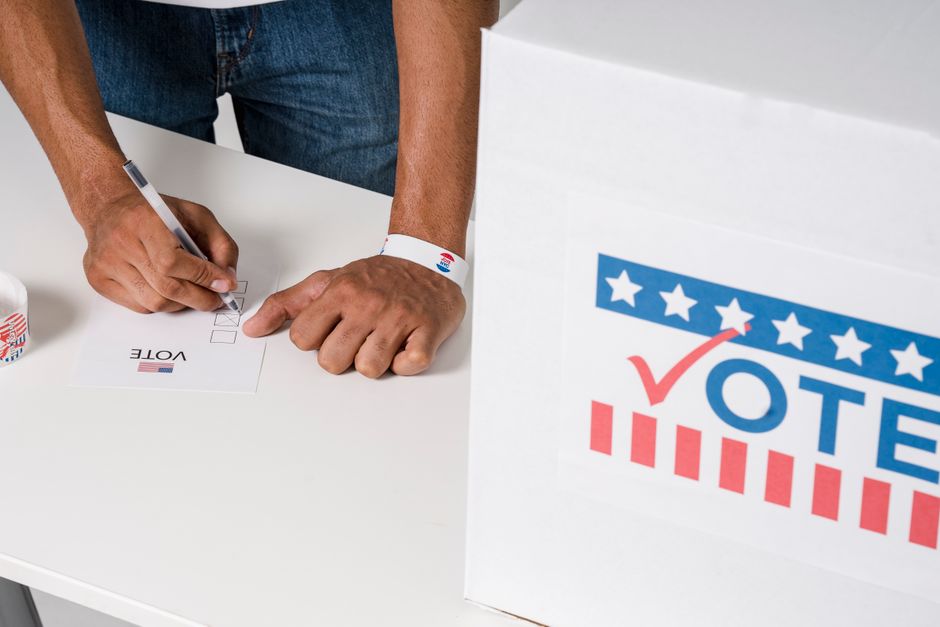
Before you start, follow this plain-English walkthrough for how to check your voter registration status and confirm the latest steps on the official site. Wondering "am I registered to vote" before you head to the polls is one of the simplest ways to avoid a stressful Election Day surprise. I have seen friends assume an old address or a name change was handled automatically — it usually is not.
This field guide walks you through a phased check using official federal and state tools, so you can confirm your record and correct mistakes while you still have time.
Phase 1: Before You Check — Gather Your Registration Details
Start by collecting the same personal details your state election office uses to match you in its database. Most voter registration lookup by state portals ask for your full legal name, date of birth, and either the last four digits of your Social Security number or your state-issued ID number.
If you moved recently, pull your current street address and your previous one — some systems list both.
So, before you open any portal, write down:
- Full legal name (including suffix if you use one)
- Date of birth
- Current residential address
- Driver's license or state ID number, if you have one
- Last four digits of your Social Security number, if your state requires it
If you registered through a motor vehicle office or a federal benefits program, note that too. USAGov explains that confirming your status online is the fastest path, but only when your state offers a lookup tool.
the five minutes you spend gathering documents now saves a longer phone call later. This is where disciplined setup separates smooth operations from daily friction.
Your prep folder (paper or notes app)
├── Legal name + DOB
├── Current address
├── Prior address (if moved)
├── State ID / license number
└── SSN last 4 (if required)

Phase 2: During Your Check — Use Official State and Federal Portals
Check your voter registration through your state's official election website or the federal hub that routes you there. The federal Vote.gov site lets you select your state or territory and jump to the correct registration and status page.
Your record lives at the state level, not on a single national database.
Follow this order:
- Visit Vote.gov and choose your state from the map or dropdown.
- On your state site, find the "check registration" or "voter lookup" link — wording varies.
- Enter the details from Phase 1 and submit the form.
- Read the full result screen: status, precinct, polling place, and any listed ID requirements.
- Screenshot or print the confirmation page for your records.
States like Michigan run dedicated portals — the Michigan Voter Information Center is an example of a state-branded lookup where you can see registration status, ballot options, and polling location in one place. Other states use similar standalone sites linked from Vote.gov.
That said, if the portal says you are not found, do not panic yet. A typo, a maiden name on file, or a recent move can cause a mismatch. Note the exact error message before moving to the fix phase.
- Lookup channel — What it shows
- State election website — Registration status, address on file, precinct
- County clerk office — Same record with local ballot details
- In-person early voting site — On-the-spot eligibility check
Pro tips
Portal quirks trip up even careful voters, so expect small friction and plan around it. Here is what tends to slow people down during a status check.
Name formatting matters. If you registered as "Robert" but type "Bob," some systems return no match. Try your full legal name first, then variations only if the site allows it.
Address autocomplete can lie. Apartment numbers and unit letters sometimes drop off. If your status looks wrong, compare the address character by character with a utility bill or lease.
Browser and VPN issues are real. Some state sites block traffic from outside the U.S. or from certain privacy extensions. Switch browsers or disable VPN before you assume you are unregistered.
Recent changes need processing time. A registration submitted yesterday may not appear for several business days. The Vote.gov registration page links to each state's rules on how long updates take.
Save your confirmation. A PDF or screenshot with a timestamp helps if a poll worker sees a different record on Election Day — you will thank yourself for keeping it.

Phase 3: After a Mismatch — Fix Voter Registration Common Mistakes
When your lookup shows inactive status, a wrong address, or missing party affiliation, treat it as a fixable data problem — not a dead end. Voter registration common mistakes usually fall into a few repeatable categories you can correct through official channels.
You moved but never updated your address. You changed your name after marriage or divorce. You registered at a campus address years ago. You assumed a DMV visit updated your voter file automatically. Each of these leaves a stale record.
Typical fixes by situation:
- Wrong address: Submit a change-of-address form on your state election site or at your local election office before your state's update cutoff.
- Name change: File an update with proof of legal name change if your state requires it.
- Not found at all: Complete a new registration through your state's official form — many states offer online, mail, and in-person options via Vote.gov.
- Inactive or purged: Re-register if your state allows it; some states restore you automatically when you submit a fresh application.
If you updated your address with the Social Security Administration or through a federal benefits portal , that change does not always flow to your voter file. You still need to update voter registration separately.
- Problem on lookup — Likely cause
- Status: inactive — No voting activity plus no response to mail
- Wrong polling place — Address not updated after a move
- Name mismatch — Legal name change not reported
- No record found — Never registered or typo in search
Before you apply / consult
Before you submit a correction or a new registration, re-read your state's rules so you do not create a second problem while fixing the first. Misread rules and simple oversights cause most avoidable denials.
Check eligibility first. You must be a U.S. citizen, meet your state's age requirement, and not be disqualified by a felony conviction under your state's laws. The USAGov voter registration hub links to state-specific eligibility pages — read yours before you apply.
Know your state's ID rules for voting. Some states require photo ID at the polls even when online registration did not. Your lookup page often lists acceptable ID types.
Do not use unofficial third-party sites. Sites that are not .gov can collect your data without updating your real record. Stick to Vote.gov and your state election domain.
Re-check list before you hit submit:
- Legal name matches your ID exactly
- Address is your current residence, not a mailing-only P.O. box if your state forbids it
- Date of birth and ID numbers have no transposed digits
- You selected the correct county and district
- You saved a copy of the submitted form or confirmation number
If you are unsure whether a pending application went through, wait for the processing window your state publishes, then run the lookup again. Calling your county election office with your confirmation number is reasonable when the portal stays silent.
Phase 4: After You Fix Errors — Confirm and Plan Your Vote
Once you correct your record, run one final voter registration lookup by state to confirm every field looks right. This closing pass is what turns a quick check into real peace of mind.
On the confirmation screen, verify:
- Status shows active or registered (exact wording varies by state).
- Your name and address match your current ID.
- Your assigned polling place or vote-by-mail option is listed correctly.
- Any listed ID requirements match what you can bring.
The USAGov page titled Voter registration - USAGov summarizes federal resources and points back to state tools for status checks and updates. Use it as a reference if you need plain-language explanations of terms on your state site.
checking once in the spring and once a few weeks before an election catches moves and name changes that happen in between. If you vote by mail, confirm your ballot mailing address separately — it is not always the same field as your registration address.
So, you have gathered your documents, used official portals, fixed common errors, and confirmed the result. That is the full loop.
When Election Day arrives, you walk in knowing your name is on the list — and if a clerk sees something different, you have a saved confirmation to show. Teams that skip this usually pay for it in rework and inconsistent results., and it is exactly what makes the difference.
Frequently Asked Questions
How can I check if my voter registration is active?
Look up your status on the state election portal with your name and address. Update your record after any move or name change.
What should I do if my voter registration shows an error?
Correct your name, address, or party fields on the same state portal, then re-check status before Election Day. Keep a confirmation screenshot.
When is the registration deadline before an election?
Deadlines differ by state and election type. Confirm the cutoff on your state election site—do not rely on national summary pages alone.
How do I register to vote in my state?
Use your state's official .gov election site—check ID, residency, and deadlines. Many states offer online registration; others require mail or in-person forms.
What ID do I need to register or vote?
Requirements vary by state—some accept utility bills or student IDs, others require photo ID. Check your state election office list before you go.
Official Voting & Registration Sources
Use these 3 authoritative links to verify requirements in your area.
- See vote.gov for current official requirements.
- eac.gov provides official guidance on this topic.
- USA.gov offers reference material you can cross-check for this topic.
Rules can change — confirm details on each official site when you act.
(Updated: 2026.07.09)
Got a question about checking your voter registration or updating your address? Share it in the comments below—readers learn best from real experiences.


Comments
Post a Comment