Emergency Alert — Fewer surprises later
Note: Based on publicly available guides; verify details on official sites.
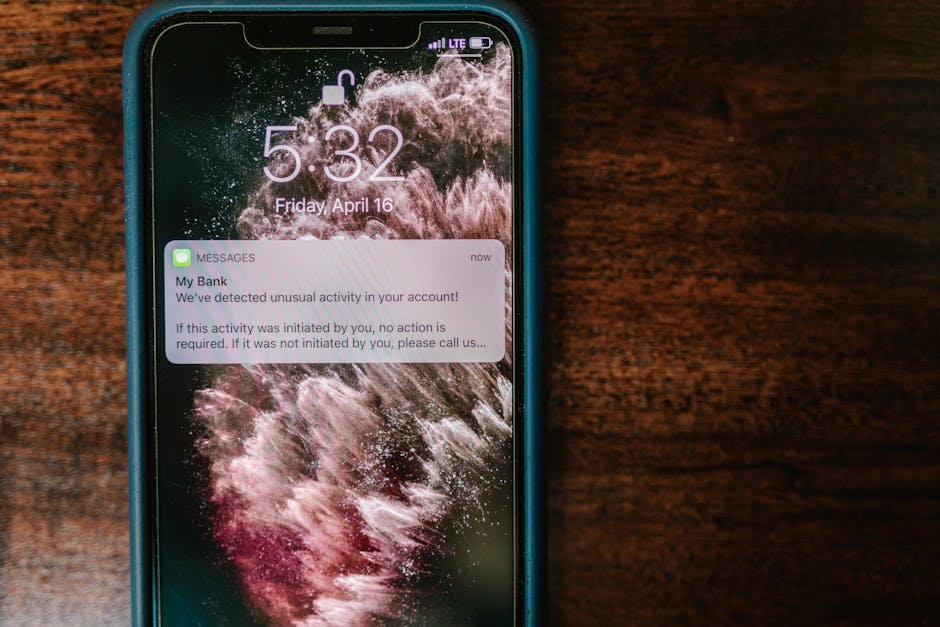
What Wireless Emergency Alerts Cover on Your Phone
Before you start, use this practical checklist for emergency alert and confirm the latest steps on the official site. Wireless Emergency Alerts (WEA) are government-backed messages that can reach a compatible phone in a danger zone without a separate app. Ever stared at a silent phone during a storm and wondered if you would hear a warning?
These alerts are designed to break through quiet modes with sound, vibration, and on-screen text when a life-threatening event is nearby.
You do not “subscribe” to WEA the way you subscribe to a newsletter. On most U.S.
phones they arrive through the cellular network when an authorized agency issues them. Settings matter, though: if severe weather or emergency alert toggles are off, you can miss messages you expected to get.
Official systems share a clear rule: only emergency services and government bodies that handle emergencies should send this class of alert. The GOV.UK Emergency Alerts overview puts it plainly for the UK service—alerts come from emergency services and government departments, agencies, and public bodies that deal with emergencies.
That same trust bar is useful when you judge U.S. messages: treat random emails asking for personal details as suspicious, not as “alerts.”
Location for broadcast-style alerts is usually about where your phone is right now, not your mailing address. So if you travel across counties, you may hear warnings for the place you are standing.
That is helpful on the road—and it is why a county signup that stores your home, work, and school addresses still fills a different gap.
What County Reverse 911 Signup Adds
County reverse 911 and local notification portals let you register specific phone numbers and places so local officials can reach you for area emergencies.
You already get national-style WEA pings, yet your county still asks you to enroll for evacuations, shelter notices, or utility-related emergencies that may never trigger a nationwide-style blast.
A practical example is how McLennan County Emergency Notification Alerts point residents to an emergency alert sign-up page to register for notifications. Many counties use a similar pattern: a sheriff or emergency management page, a portal for phone and email contacts, and sometimes a regional partner (such as a council of governments) that helps run the system.
When you check local reverse 911 signup, look for a .gov host and language that matches your county’s emergency management office. If the page asks you to create a website account to manage subscriptions, that can be normal for civic portals—still verify the domain before you enter a number.
💡 Insight: I keep a short note of which numbers I registered (mobile, landline, partner’s phone) so I can update them after a move.
County lists often cover scenarios WEA may not emphasize for your exact address. Think boil-water notices, localized flooding near your street, or shelter openings. That said, reverse 911 only works if your contact data stays current. An old cell number is a quiet failure mode.
When to Choose Phone Alerts vs County Signup
Choose built-in phone emergency alerts for broad, location-based warnings; choose county signup when you need address-specific local notices. most households should not treat this as an either-or decision—but comparing the two helps you set expectations before you enroll.
| Option | Best for | Watch for |
|---|---|---|
| Phone WEA settings | Life-safety blasts near your device | Disabled toggles or older handsets |
| County reverse 911 | Address-tied local notices | Outdated numbers after a move |
| FEMA app alerts | Weather and custom location watches | App permissions left off |
Prefer phone system alerts when you are mobile and need warnings for where you are standing. Prefer county signup when you care about a fixed home, farm, or workplace that may need targeted instructions.
Compare both if you commute across county lines—your phone follows you; your reverse 911 profile follows the addresses you entered.
phone alerts are only as useful as the handset you still control. If a phone is lost or stolen, sign out of that device so accounts and notification paths are not left hanging on hardware you cannot reach, then lean on county text or call lists tied to numbers you still own.
On Android, you can usually turn individual alert types on or off, review past alerts, and tune sound and vibration so a real warning cuts through without training you to ignore every buzz.
If search results muddy the waters, stay on official government pages. Queries about “set” can surface noise like Set card game listings, Set Play Online pages, or a SET dictionary hit.
Skip those tangents and open your county’s emergency management site or a federal .gov hub instead.
So which path first? Enable the OS alerts you carry day to day, then add county signup for the addresses that matter when you are not standing in the danger zone.
Register and Check Settings on Your Phone
Start by enabling emergency and severe weather alert switches on the phone, then register your numbers with the county portal that serves your addresses. Here is a field order that keeps mistakes low and avoids duplicate guesswork.
- Open your phone’s alert settings. On many Android devices, look under Settings → Safety & emergency → Wireless emergency alerts (wording varies by maker). On iPhone, check Settings → Notifications → scroll to Government Alerts or similar toggles. Turn on emergency alerts and, if offered, severe weather alerts.
- Confirm you can hear and feel a test-style attention signal when the OS allows it. You want volume paths that still work when Do Not Disturb is on for true emergency categories. If accessibility features matter in your household, enable the notification paths your OS documents for hearing or vision support.
- Find your county’s official signup page. Use USA.gov or the USA.gov government agencies directory to locate legitimate state and local offices when a search feels messy. A query for “register” can spit out a dictionary definition of a written record—or even The Register’s enterprise tech news—so ignore those and stick to your county’s portal. Avoid lookalike Register.com-style commercial domains that are not your county’s signup.
- Download the FEMA app and get started if you want custom weather locations. Add your home county plus places you visit often, then allow notifications. Pair that with WEA and reverse 911 rather than replacing them.
- Save a simple setup map so you can re-check after OS updates. A tiny checklist in your notes app works:
- phone: WEA toggles on; Do Not Disturb exceptions checked
- county: reverse 911 profile; numbers for home, work, and mobile
- apps: FEMA locations added
Apply the same review after you change carriers or replace a phone. New devices sometimes ship with alert categories off or with a fresh SIM that never inherited your old habits.
Ever lost track of which switch you flipped six months ago? Re-walk this list once, and the next update will feel routine instead of a scavenger hunt.
Before you apply / consult
Before you apply for a county alert account—or consult emergency management pages—verify the domain, the addresses you will list, and which numbers can actually receive SMS or voice calls. Misread rules here usually look like “I thought WEA already covered my street” or “I enrolled once in 2019 and never updated.”
Common denial-style outcomes are soft failures, not formal rejection letters. Wrong ZIP codes, disconnected numbers, and email-only contacts when you expected a text can leave gaps.
Re-check: phone can receive SMS, landline can accept automated voice, and email folders do not bury civic messages.
Re-check list before you submit:
- County or city name matches where you sleep and where you work
- Every phone number is current and answered by someone who should hear warnings
- You did not confuse a news aggregator with the official signup
- You know how to unsubscribe later from the same portal
If you are sorting older civic records while you move, National Archives resources help you understand federal record systems—but your alert enrollment still happens on your county’s emergency notification page. Keep those tasks separate so you do not stall signup while hunting unrelated paperwork.
Pro tips
Pro tips that prevent the usual bottlenecks: enroll addresses first, then tune phone toggles, then add optional apps. Why that order?
County portals often ask for multiple locations in one sitting; phone settings are quick; apps are optional layers that fail silently if permissions are denied.
Name contacts clearly inside the portal when fields allow it. “Jordan mobile – primary,” “House landline,” and “Office desk” beat a pile of unlabeled numbers when you edit later. You’ll thank yourself during a move.
Watch for quiet mode conflicts that are not true emergency overrides. Third-party focus apps, work profiles, and shared family phones can mute categories you thought were protected. After any big software update, reopen the same settings path and confirm the switches.
Keep one household “source of truth” note for where you enrolled. Link the county page, the date you registered, and who is responsible for updates. So when someone asks “are we signed up?”, you answer from the note—not from memory.
Using Both Alert Paths Together
Using both WEA phone alerts and county reverse 911 gives you location-based blasts plus address-tied local notices. That overlap is intentional redundancy, not spam—different systems trigger for different reasons.
On a normal week, leave WEA on and keep the county profile updated. On travel weeks, rely more on the phone’s location-based channel and any FEMA locations you added for the trip. When you return, check that your home reverse 911 entry still lists the right mobile number.
How to keep the duo tidy without alert fatigue: register only the people who need actionable messages, explore your portal’s category choices if offered, and try a short family drill where everyone finds the settings screen once. No drama—just a five-minute walkthrough so the real message is not the first time someone sees the interface.
If an alert arrives while you are driving, do not interact with the phone until you can stop safely. Official guidance across public alert programs stresses following on-screen instructions when it is safe to do so, and using other trusted channels (radio, local officials) if you cannot read the device yet.
Bottom line for setup day: enable phone emergency alerts, complete county signup for every address that matters, and optionally layer the FEMA app for custom watches. Keep official .gov pages as your only enrollment path, and re-check after moves, new phones, or number changes.
Curious which toggle you skipped last time—want to open settings and confirm it now?
Frequently Asked Questions
How do I set up emergency alert notifications on my phone?
Open your phone’s Safety & emergency or Government Alerts settings and turn on Wireless Emergency Alerts and severe weather options if shown. Then register your mobile number on your county’s official reverse 911 or emergency notification portal for address-specific notices.
After any phone upgrade, reopen those toggles and confirm they stayed on.
What is the difference between WEA and county reverse 911?
WEA reaches compatible phones near an incident through the wireless network, usually without a separate signup. County reverse 911 uses the contacts and addresses you register so local officials can send targeted notices.
Most households benefit from enabling both rather than choosing only one.
Do I need to download an app to get emergency alerts?
Built-in Wireless Emergency Alerts can work without an extra app when settings are enabled and your device is compatible. An optional step is to download the FEMA app and add locations you care about for weather watches.
Always complete your county’s official signup for local notifications either way.
How can I check if a county alert signup page is legitimate?
Start from your county’s.gov emergency management or sheriff pages, or locate the office through USA.gov agency directories. Confirm the signup URL sits on a government or clearly named civic portal—not a random commercial lookalike.
If anything asks for money or unusual personal data beyond contact and location fields, stop and use the county’s published phone number to verify.
Why did I miss an emergency alert on silent mode?
Some alert categories are meant to sound even when the phone is quiet, but disabled WEA toggles, work profiles, or focus apps can still block what you expected. Check Wireless Emergency Alerts settings, then test that Do Not Disturb exceptions still allow government emergency categories.
Update any reverse 911 numbers so voice or SMS backups can reach you if the handset path fails.
Official References for Emergency Alert
The steps below are cross-checked against 1 official reference.
- mclennan.gov offers reference material you can cross-check for this topic.
Official criteria may update — double-check each source before you rely on it.
(Updated: 2026.07.24)
Got a question about checking your voter registration or updating your address? Share it in the comments below—readers learn best from real experiences.


Comments
Post a Comment